 YesCoachBiomechanics-based strength training
Currently evolving in public
Training insight,shaped with early users.
YesCoach is currently evolving in public. Early users help shape how training insight should work.
Try YesCoach beta, then stay in the loop.
Install from Google Play, then leave your email for updates or send feedback directly to contact@yescoach.fit.
Looking for more detail? See how YesCoach works as a strength training recovery app.
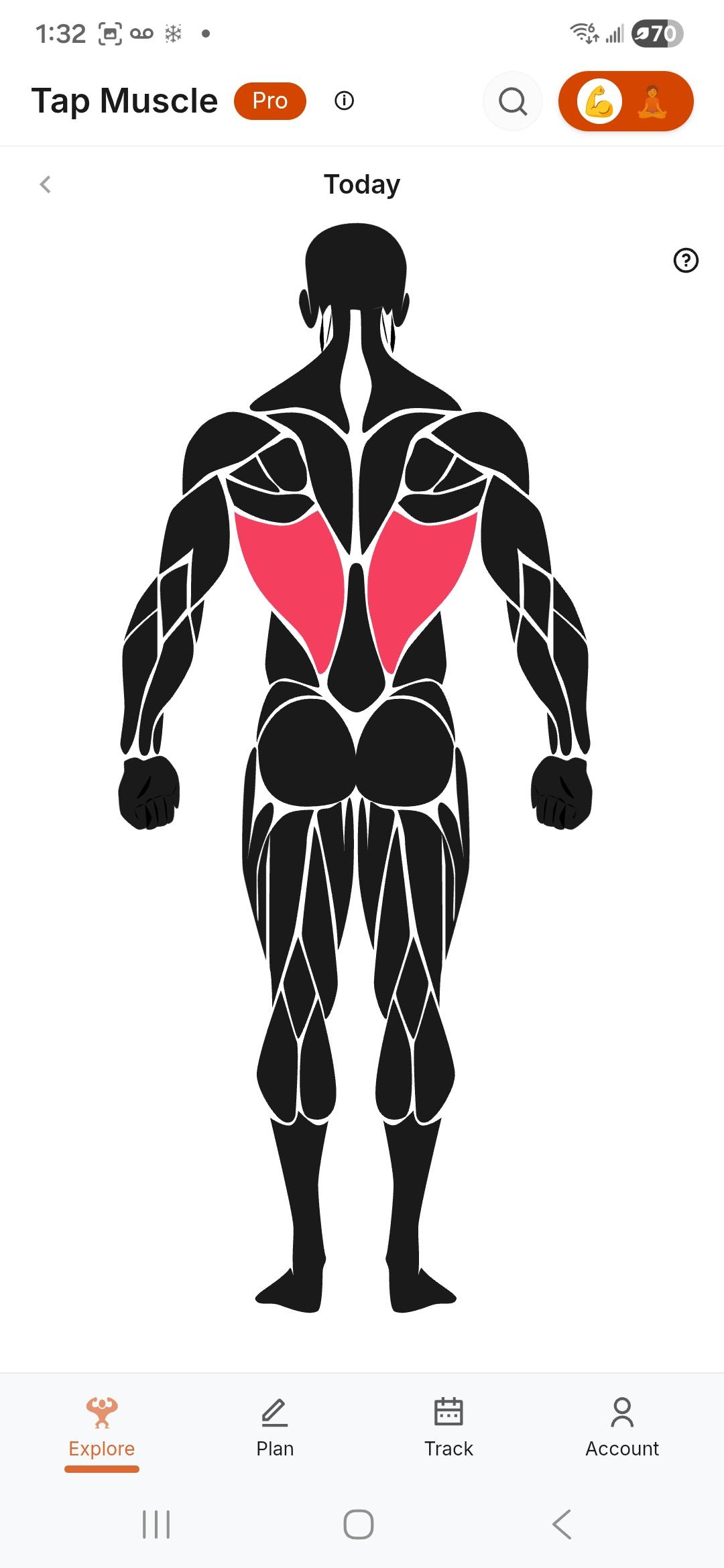
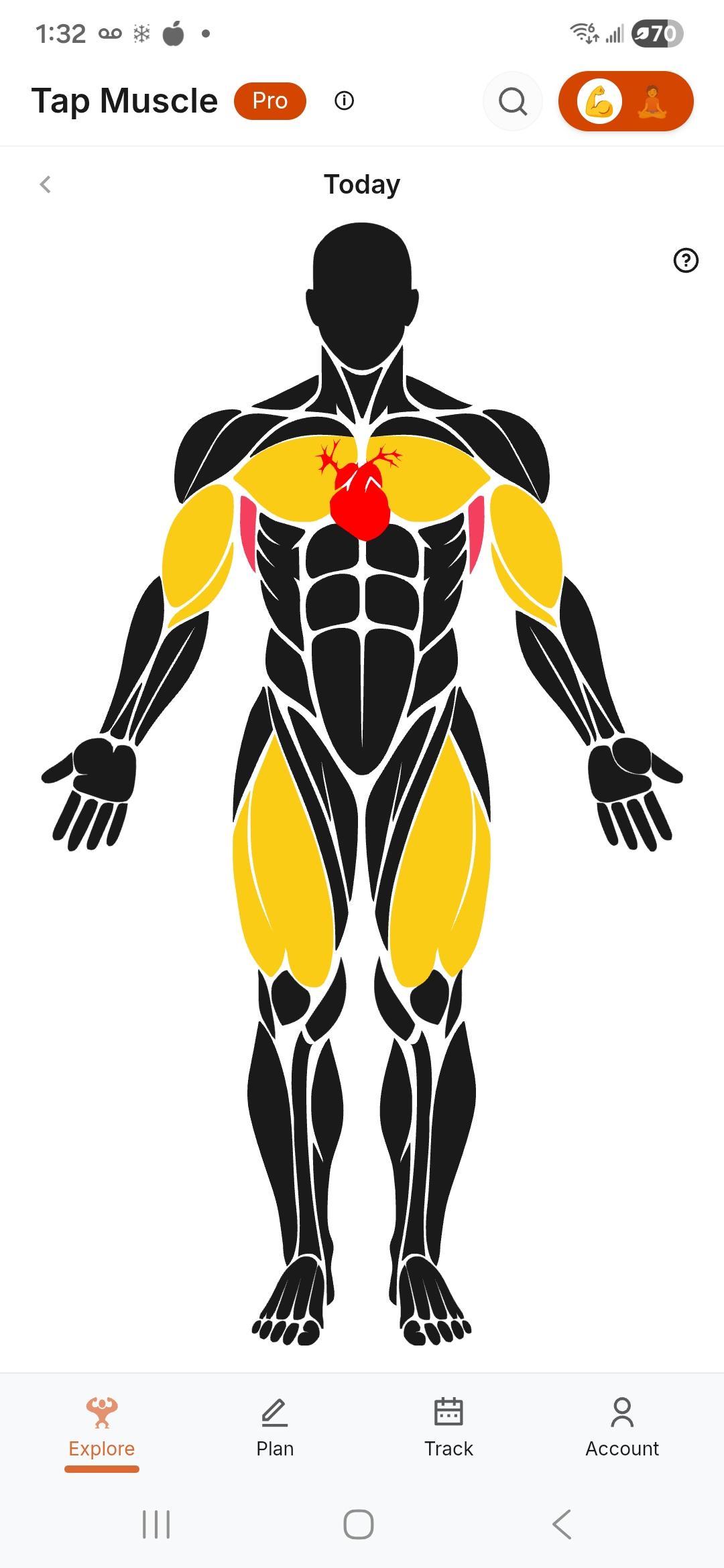
A model of your body.
Every set feeds a living model. Muscle dose, recovery state, accumulated load, movement balance — tracked together, updated every session.
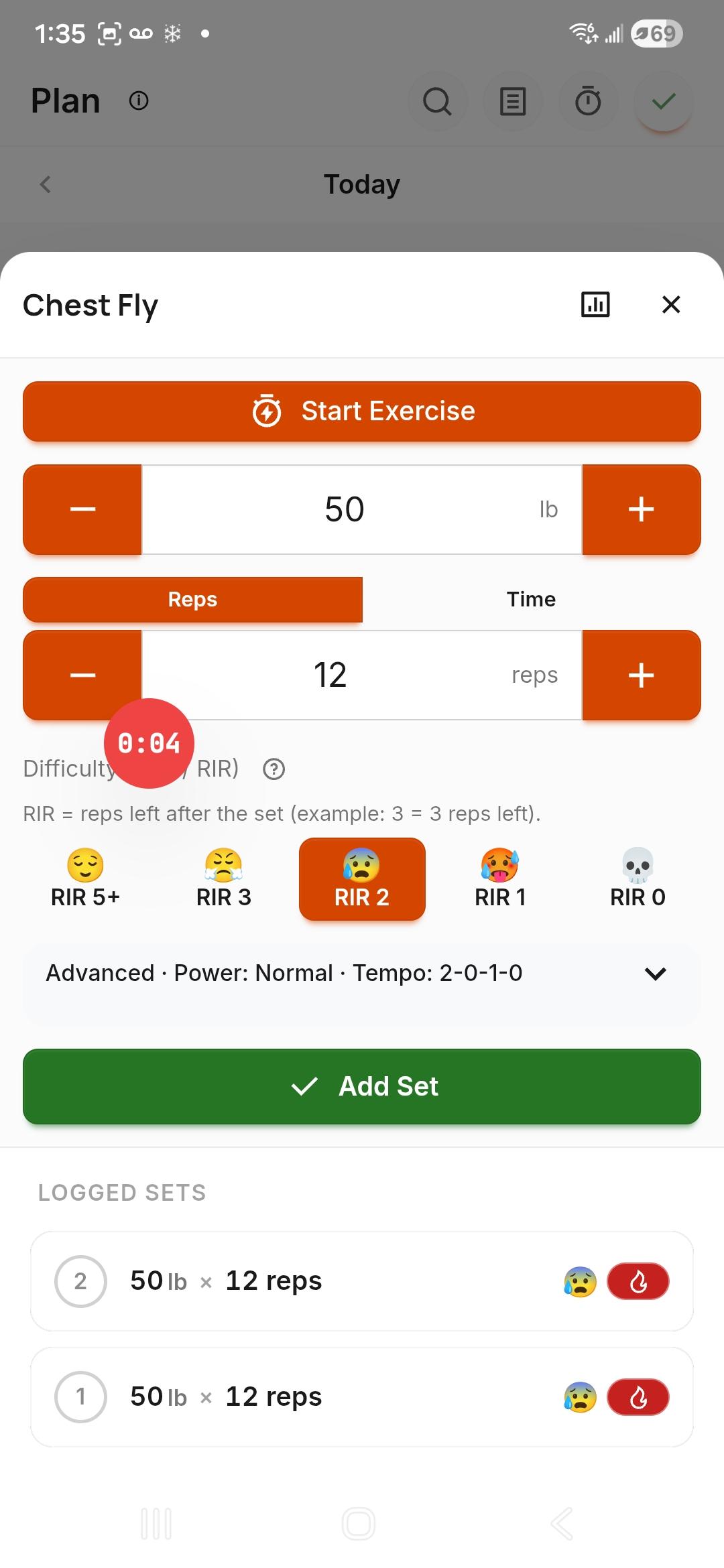
Fast to log. Easy to understand.
Weight. Reps. Effort (RIR). Logged in seconds. Every set feeds the model — no manual tagging, no setup.
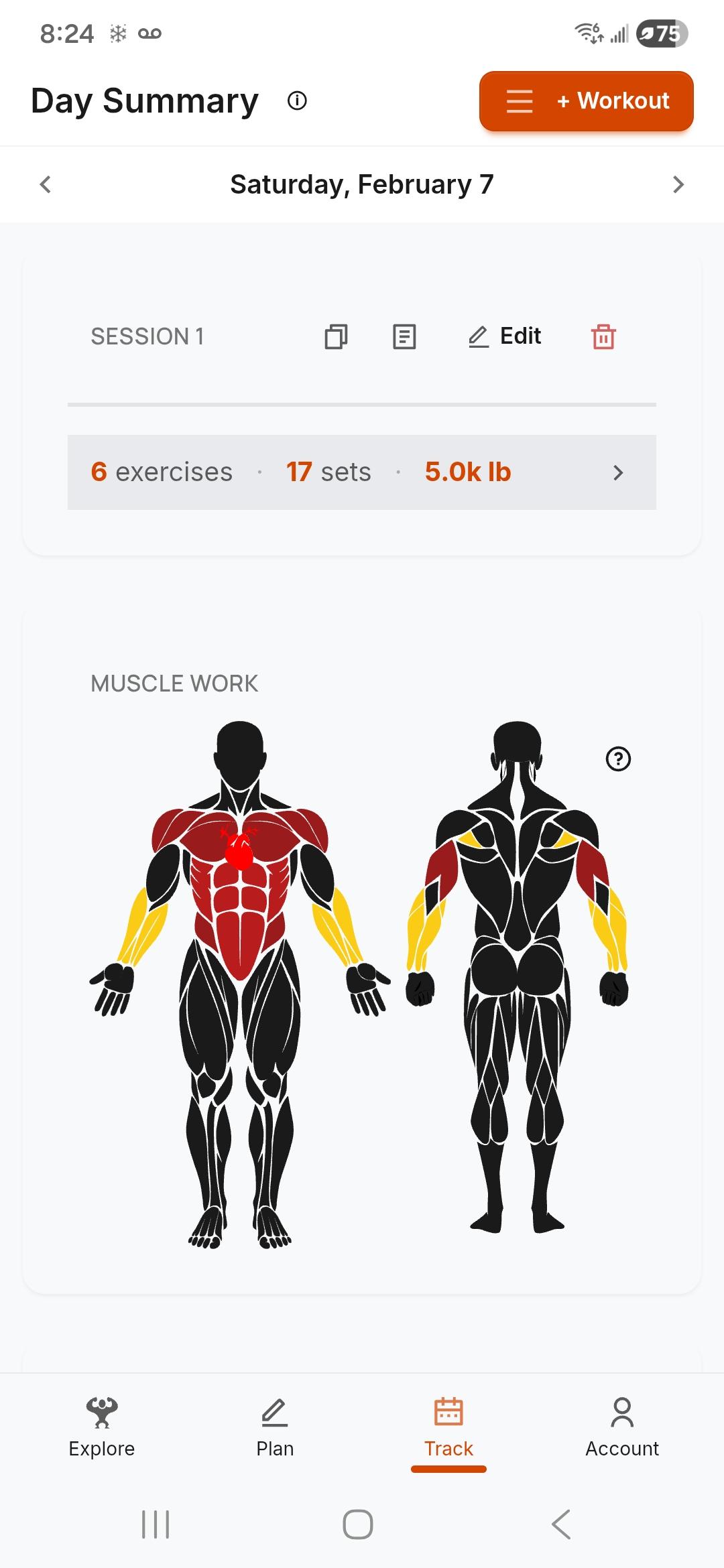
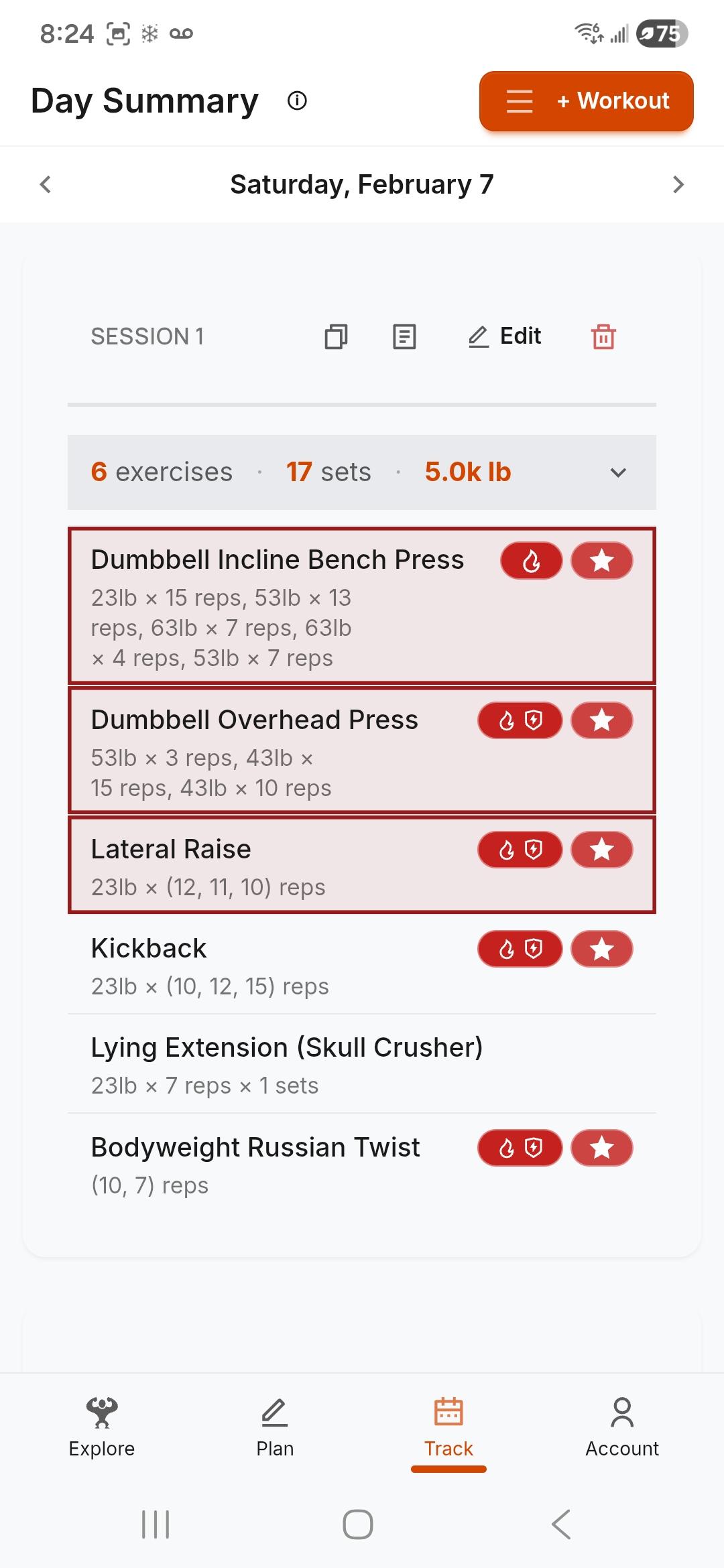
After every session, see the session.
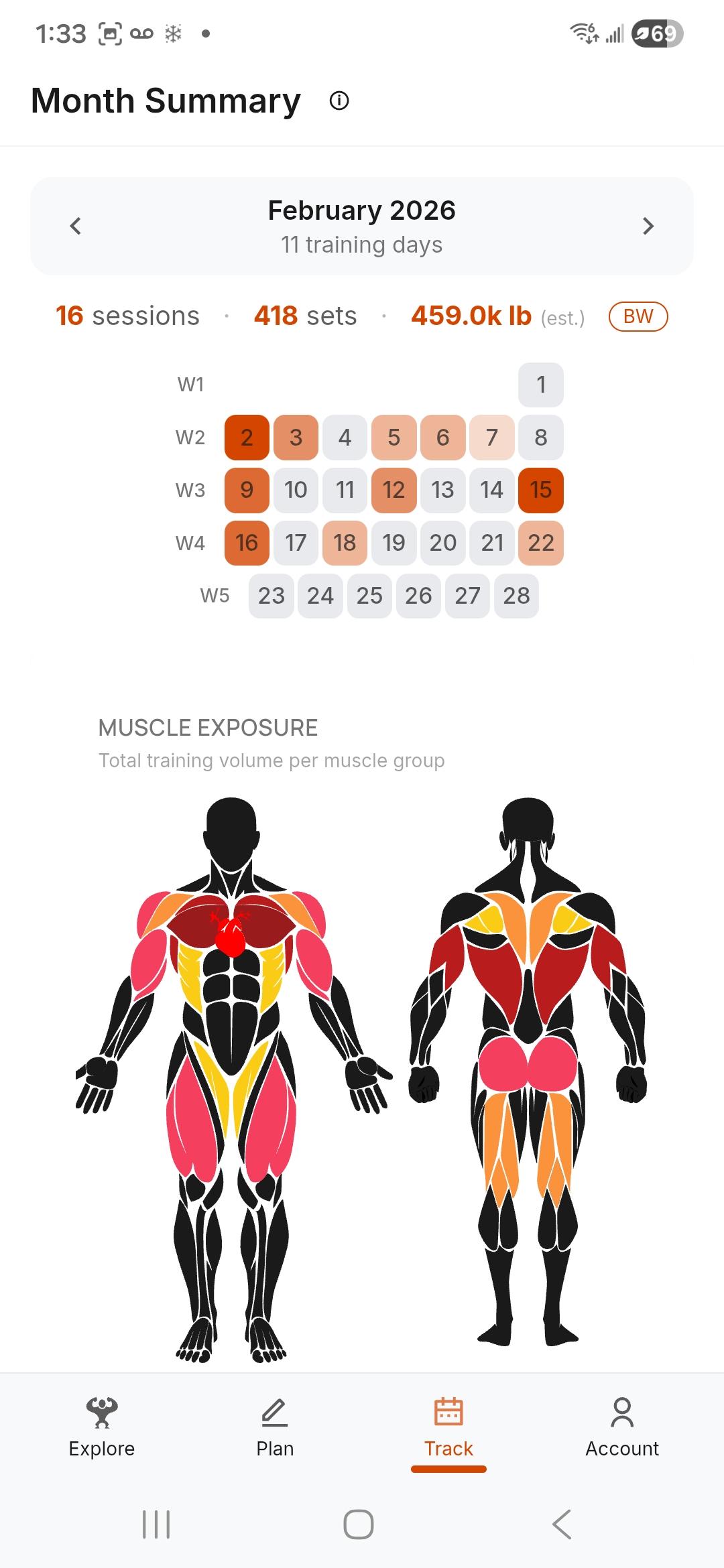
A color-coded body map shows which muscles were stressed and how hard — front and back. Tap any muscle to see the exercises that worked it. A picture, not a list.
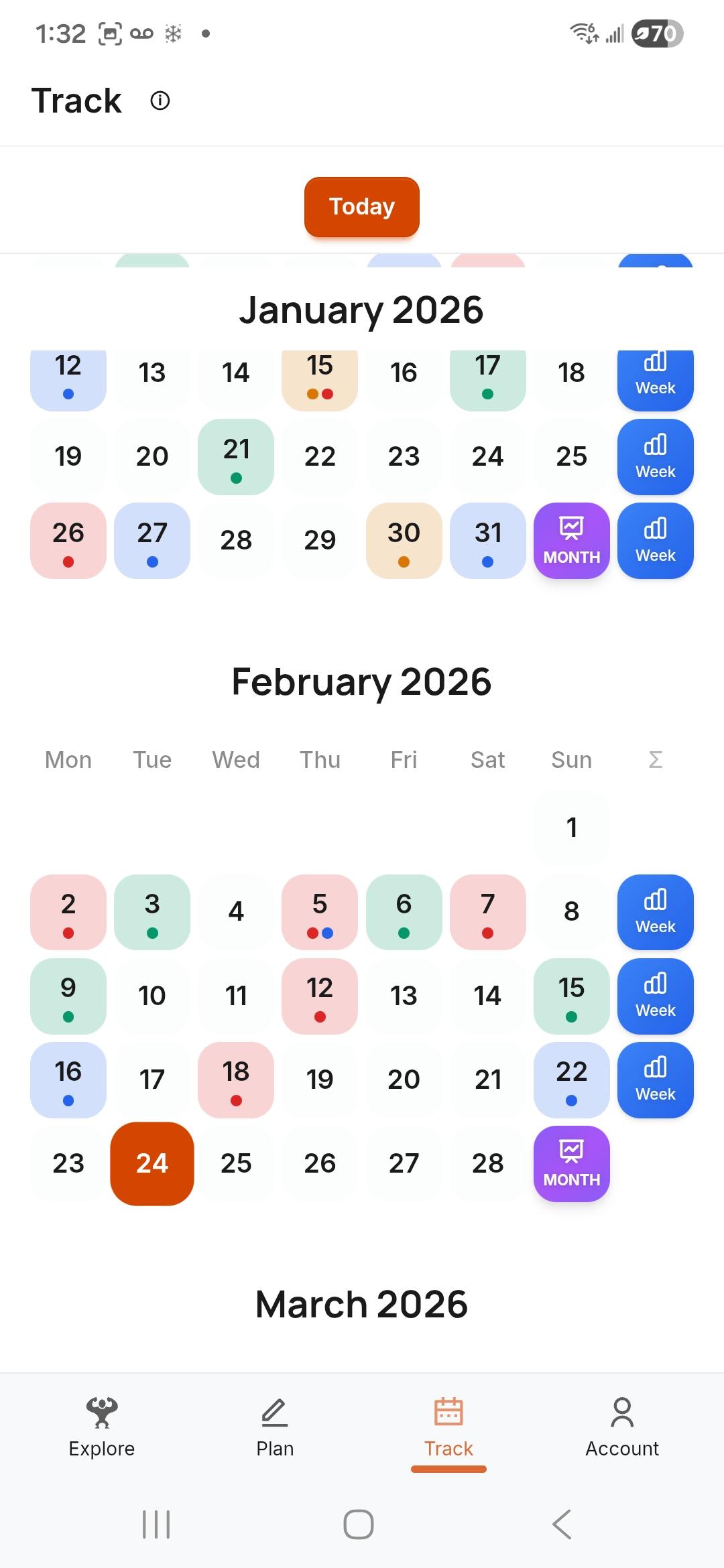
Patterns emerge.
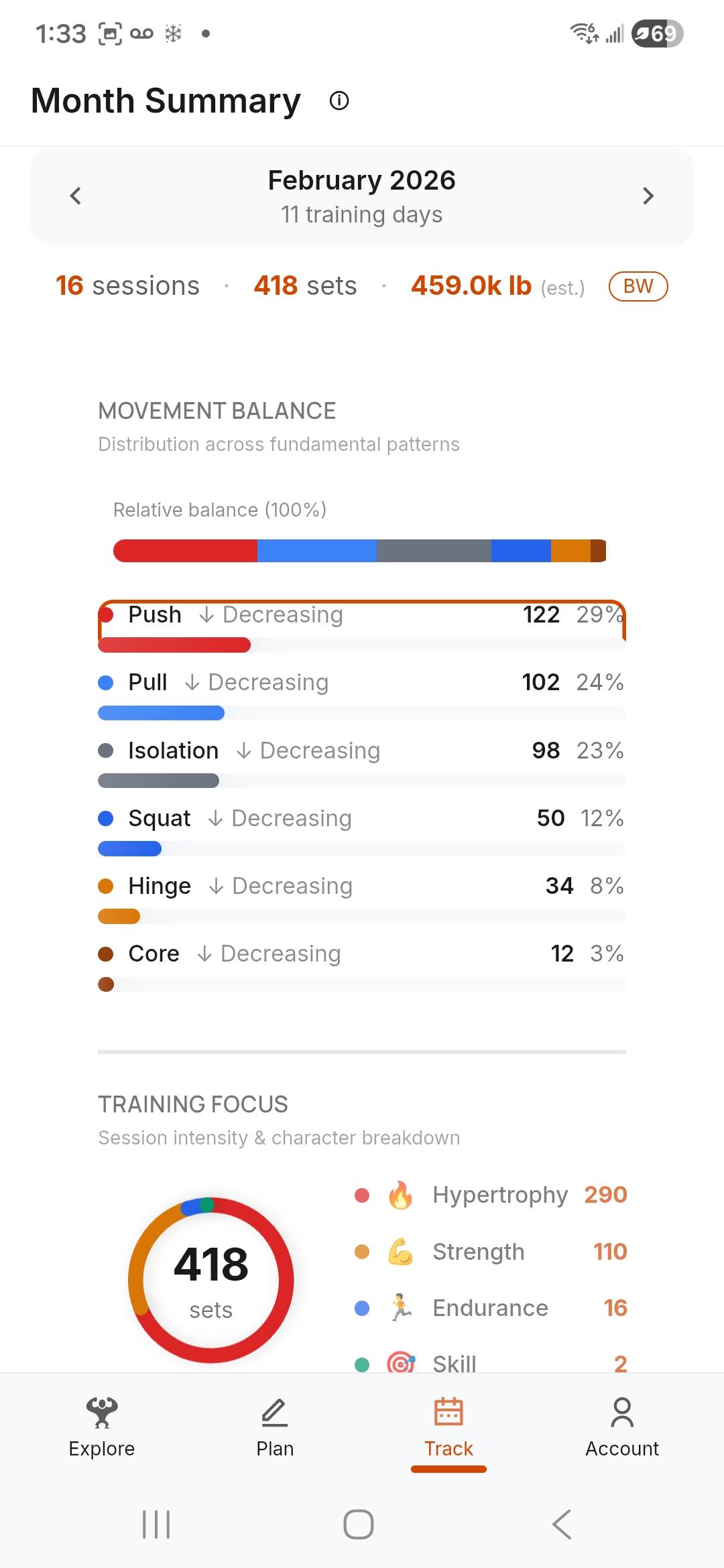
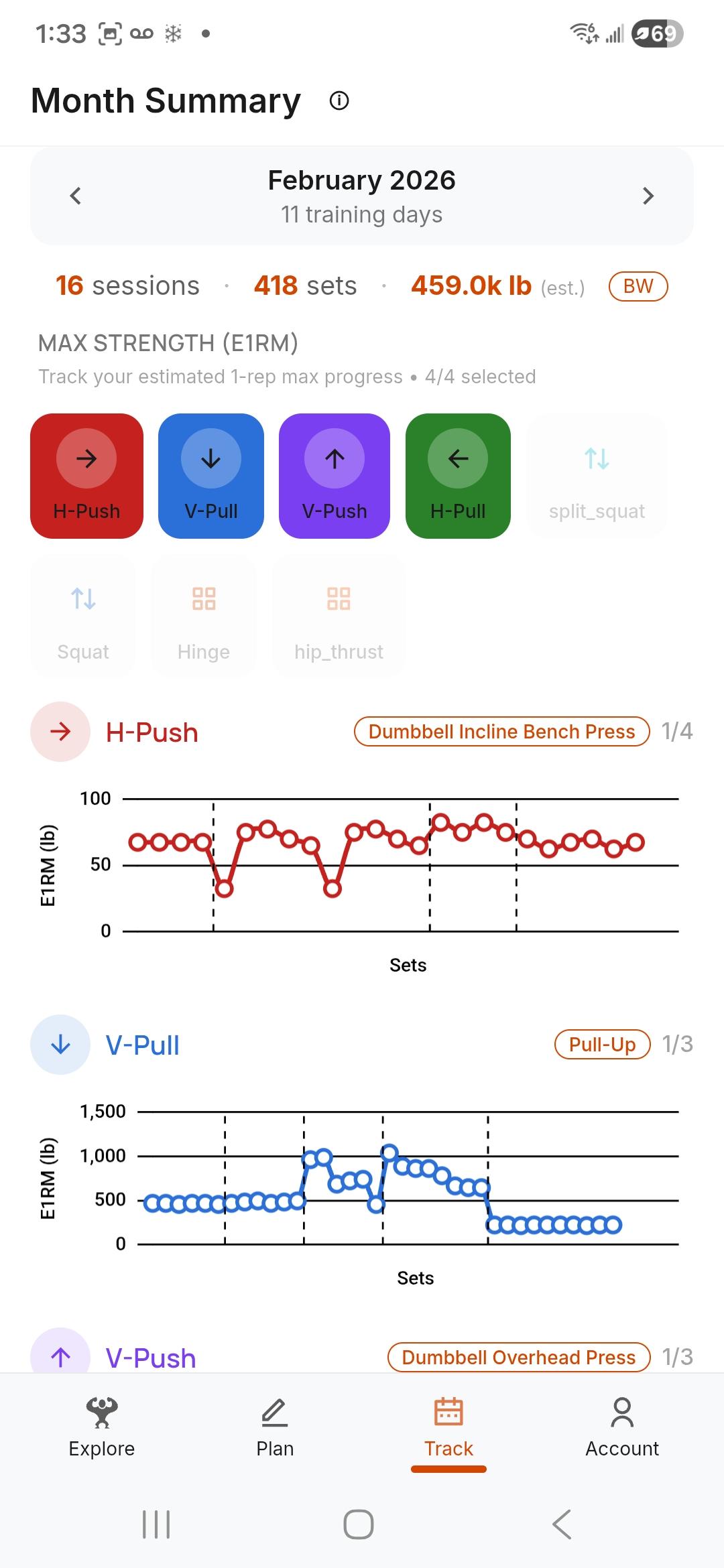
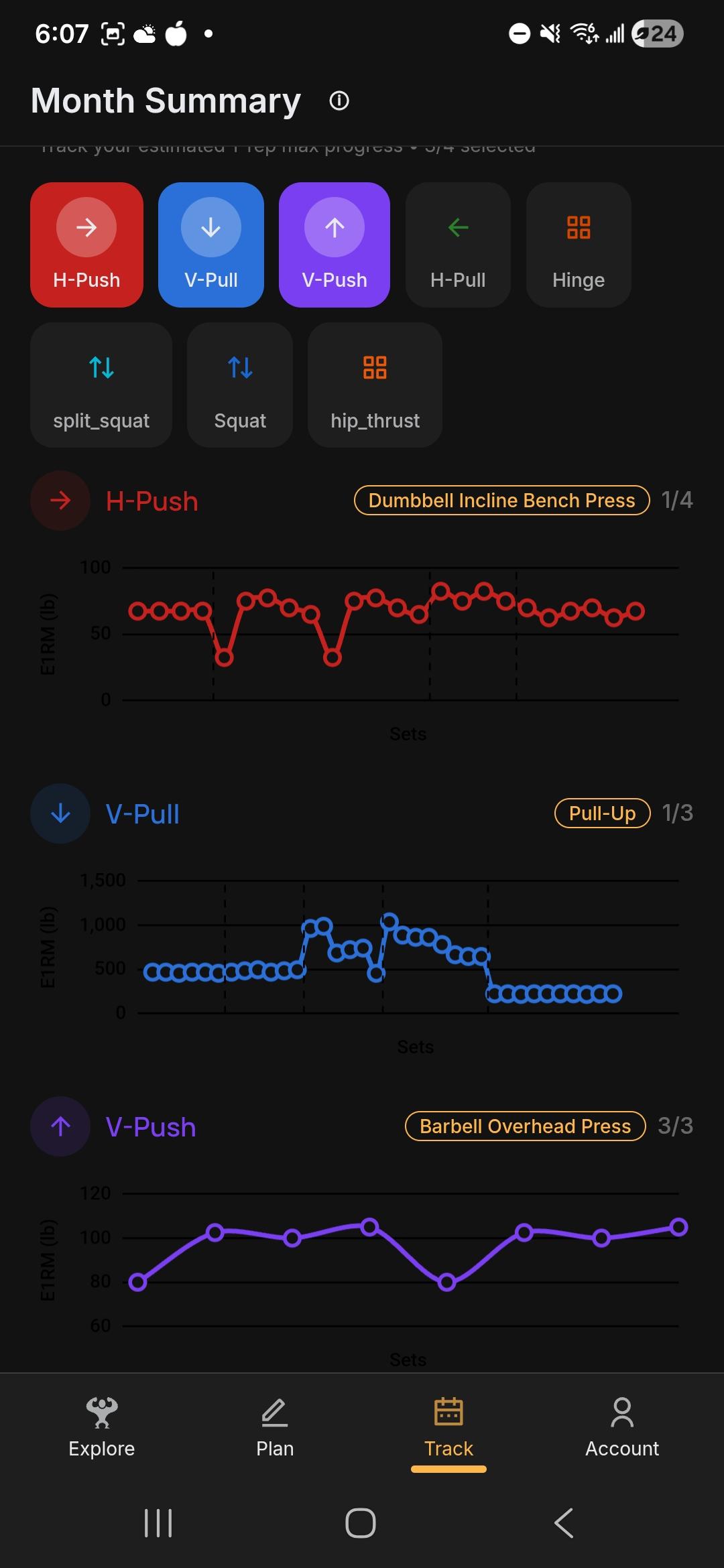
Weekly rhythm. Monthly balance. Long-term accumulation. Strength trends and muscle exposure side by side — drill from month to week to day to exercise.
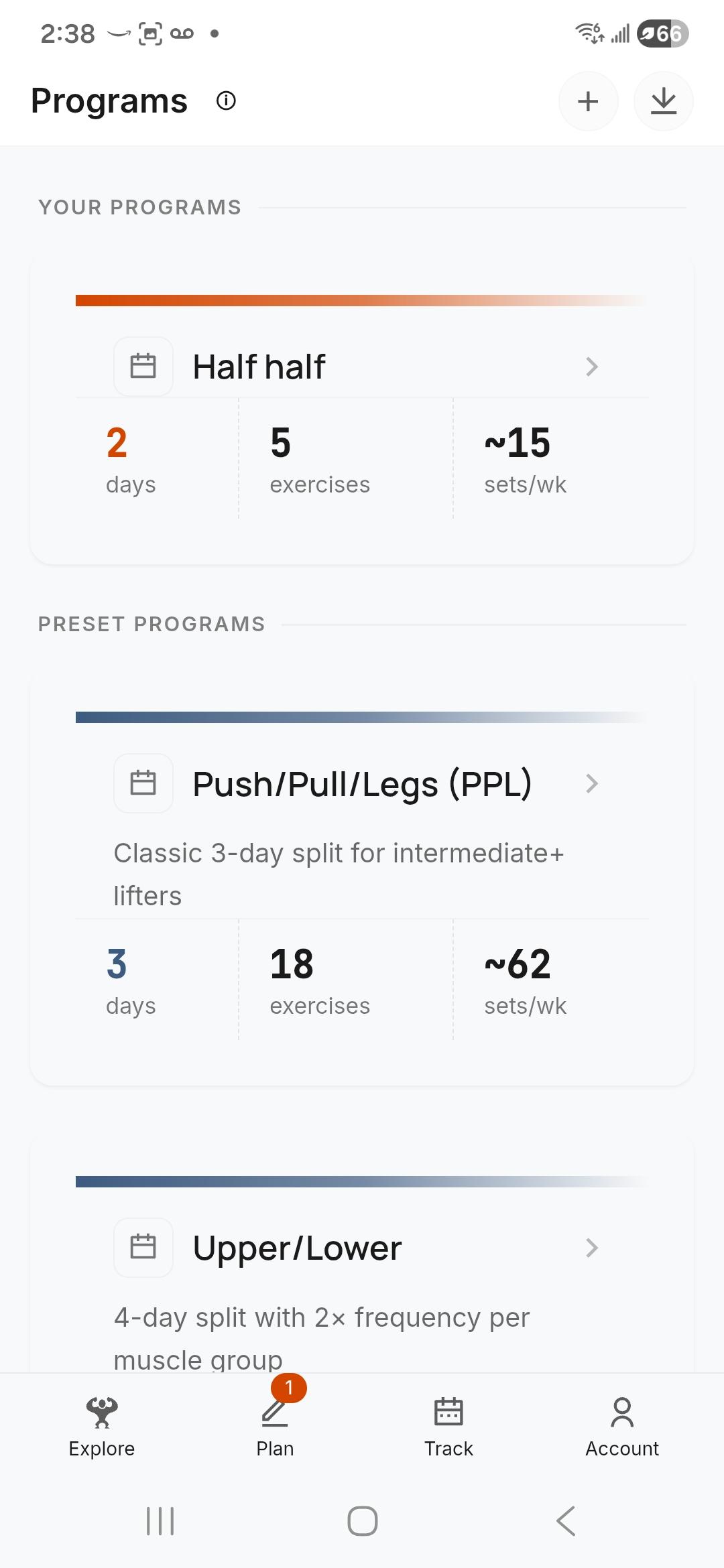
Start with a proven structure.
Push/Pull/Legs. Upper/Lower. Or build your own. Your plan lives in the app — ready when you show up.
More of what's inside
Monthly breakdowns, balance charts, and the details that make training clearer.
Clarity builds confidence.
When training becomes visible, decisions get easier.
You already do the work. YesCoach helps you understand it.
Follow development and send feedback
Leave your email for progress updates, then send thoughts after you try the beta. Short notes, bug reports, and confusion points are all useful.
Prefer social? Follow development on X.