How to train with AI: make a workout plan with ChatGPT, then track it
Give ChatGPT, Claude, or Gemini your goal, days per week, session length, equipment, and level. Ask for exercises, sets, reps, rest, and effort. Check the plan for gaps. Then log every set, so the next plan starts from what you lifted.
Can ChatGPT make a workout plan?
Yes, as a draft. In a 2024 study in Biology of Sport, Washif and colleagues asked GPT-3.5 and GPT-4 to write 12-week resistance training programs for hypothetical 20-year-old intermediate lifters. The programs had phases, sets, intensities, and rest periods. The authors concluded ChatGPT works as a tool for a draft program and that the drafts need fine-tuning by someone with training expertise before use (Washif et al., 2024).
Two things shape that draft: what you put in the prompt, and what you do with the plan after you train it.
What to put in a ChatGPT workout prompt
An AI plans from the chat alone. Give it what a coach asks in a first session:
- Goal. Strength, muscle size, or mobility. Name the lift or body part if you have one in mind.
- Time. Days per week and minutes per session.
- Equipment. Full gym, dumbbells, or bodyweight. List the weights you have at home.
- Level. How long you have lifted and a recent set, such as 60 kg for 5 reps on the bench press.
- Limits. Injuries, pain, and movements to avoid.
- Format. Exercise, sets, reps, rest in seconds, and reps in reserve (RIR) for each line.
A prompt with all six reads like this:
Write a 45-minute pull workout for a full gym. I have lifted for one year. My best row is 60 kg for 8. My lower back tires fast, so keep bent-over work to 3 sets. For each exercise give sets, reps, rest in seconds, and reps in reserve.
The ChatGPT workout plan prompt builds this for you: tap your focus, time, place, and level, then copy. It also asks the AI to reply in a format YesCoach imports.
What AI workout plans get wrong
Read the reply before you train it. Check these six things:
- Sets per muscle. Count the hard sets each muscle gets across the week. Look for chest and arms stacked high while the back, hamstrings, or calves run short.
- Push and pull balance. Count pressing sets against rowing and pulling sets.
- Effort. "3 x 10" with no RIR leaves the hardest part to you. Ask for a target, such as 2 reps in reserve.
- Progression. Ask what changes in week 2. A plan without a rule for adding load or reps repeats week 1.
- Equipment. Look for machines or weights you do not have.
- Time. Add up sets times rest. Five exercises at 4 sets and 3 minutes of rest is 60 minutes of rest alone.
Ask the AI to fix what you find. It rewrites the plan in the same chat.
Why logging decides whether the plan works
The AI writes the plan. It does not see you train it. Write down load, reps, and how hard each set felt. That log answers the questions a plan cannot: did you hit the reps, did the weight go up, which muscles got the work.
It also makes the next prompt better. Paste last week's sets into the chat and ask for next week. The AI now plans from your numbers, not from a guess about your level.
How to train with an AI plan in YesCoach
YesCoach is a free Android app that imports a workout from any AI chat, logs every set, and shows which muscles the session trained.
- Open the prompt builder, pick One workout, and copy the prompt.
- Paste it into ChatGPT, Claude, or Gemini. Copy the whole reply.
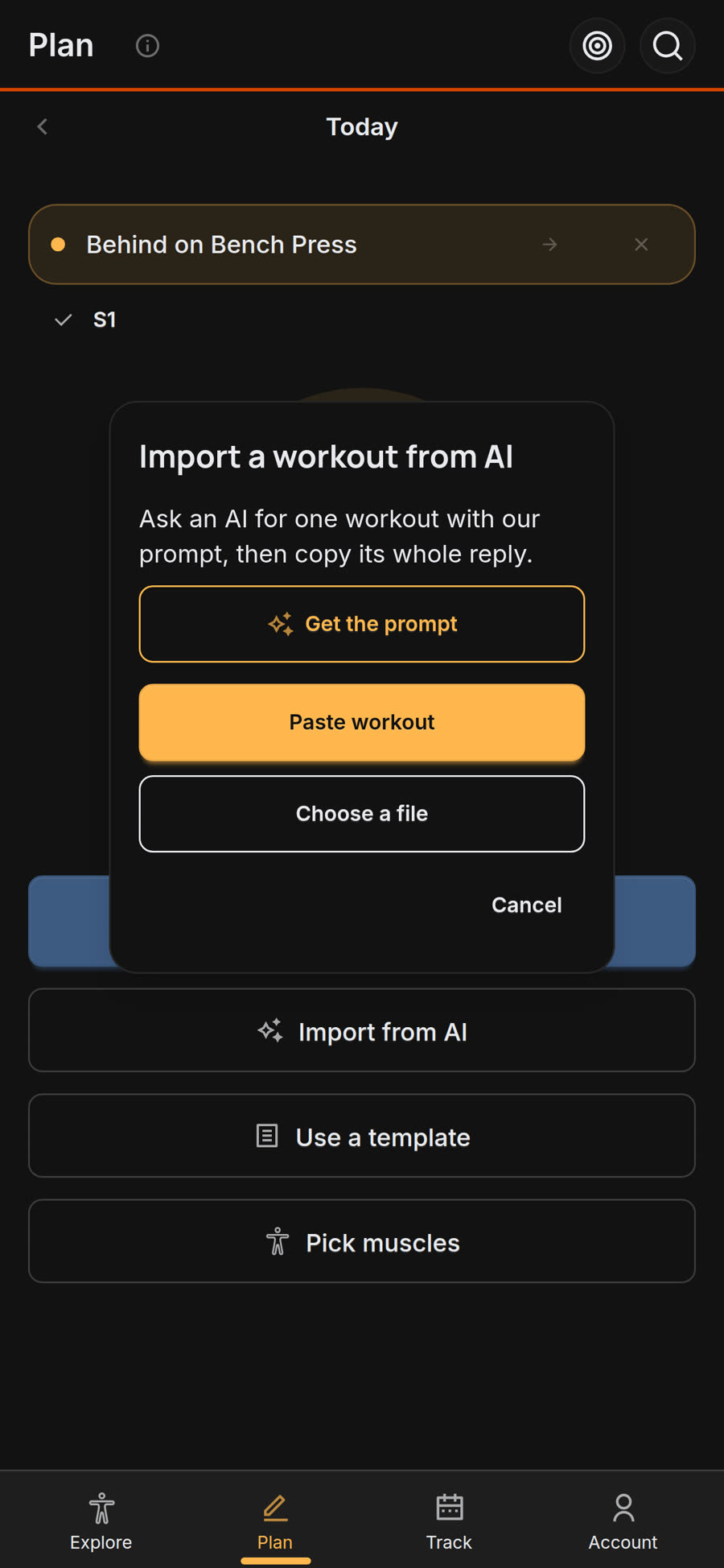
- In YesCoach, open the Plan tab on an empty day, tap Import from AI, then Paste workout.
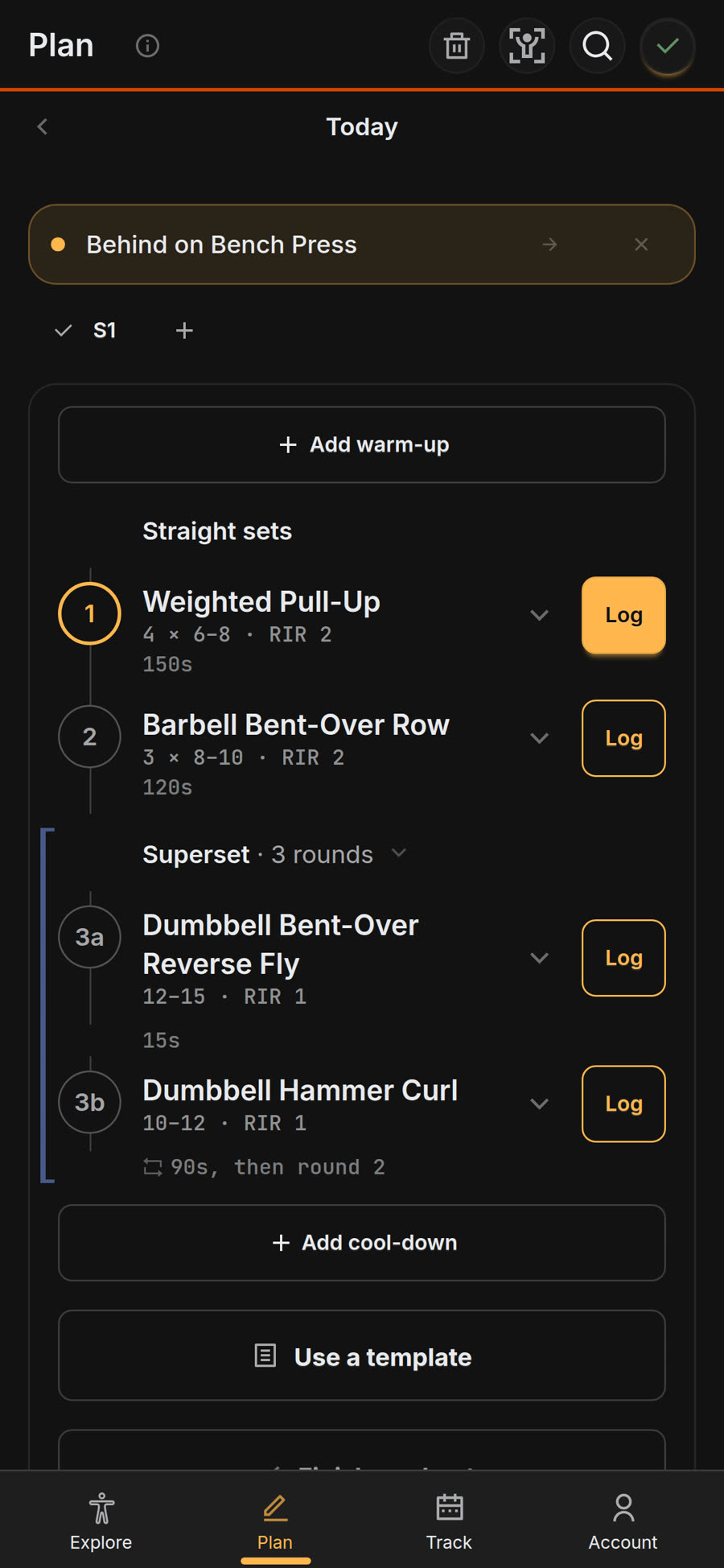
The workout lands on your Plan with sets, reps, RIR, rest, and supersets. If the AI picked an exercise YesCoach does not have, the app swaps in the closest match and tells you which one it used.
For a whole program, switch the prompt to Program and save the reply as a file. In the Plan tab, tap the Programs icon, then Import.
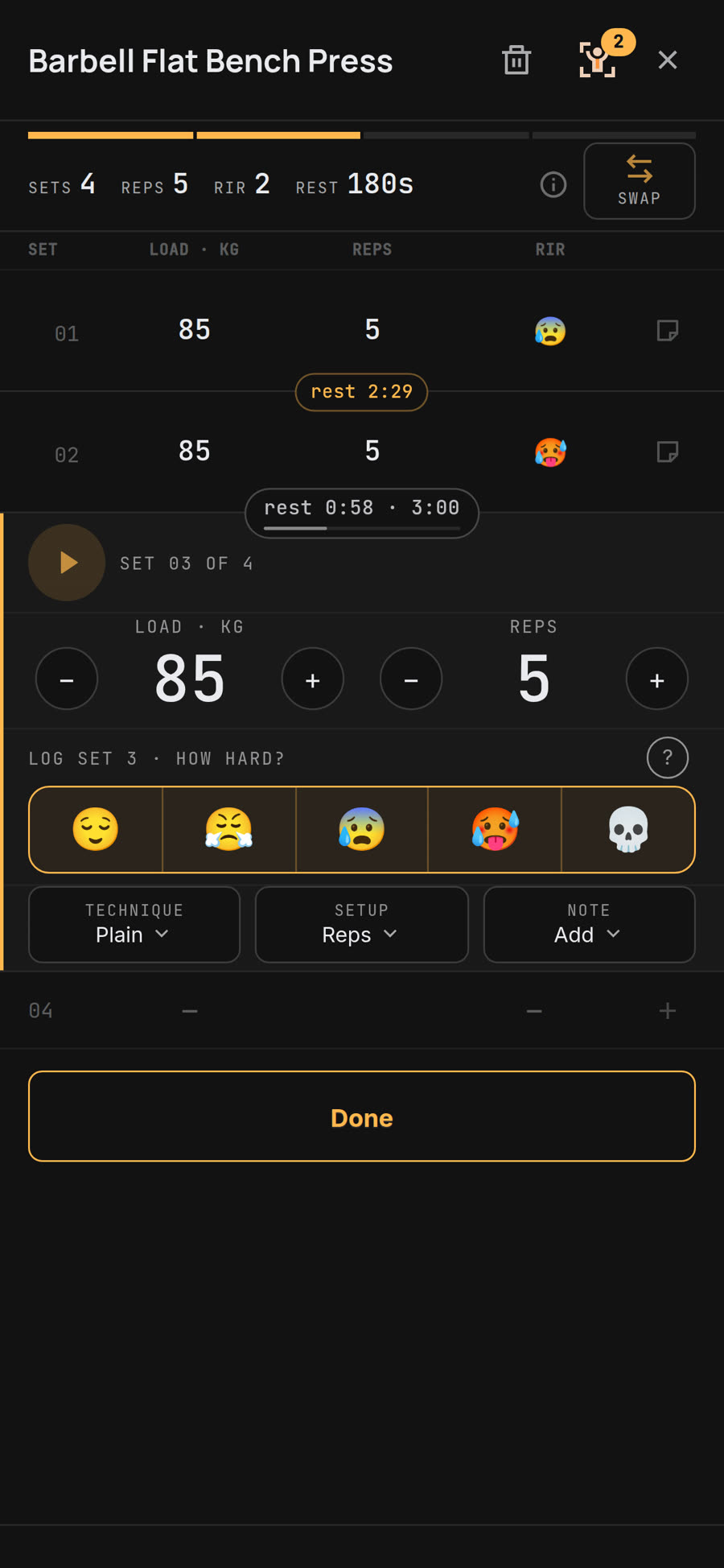
Tap Log on an exercise to record load and reps, then tap how hard the set felt. A rest clock starts between sets.
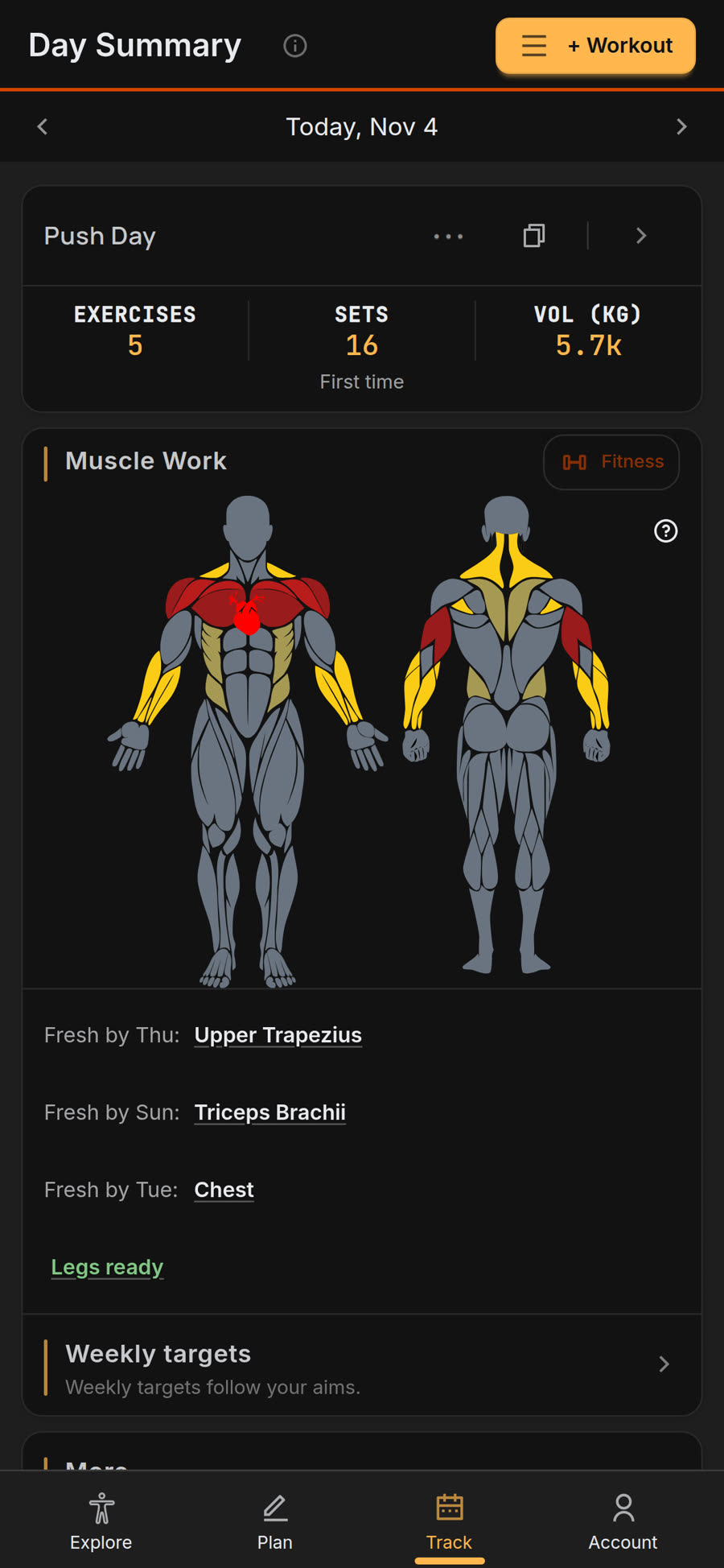
Day Summary on the Track tab maps the muscles the session trained, with an estimated day each muscle group is fresh again.
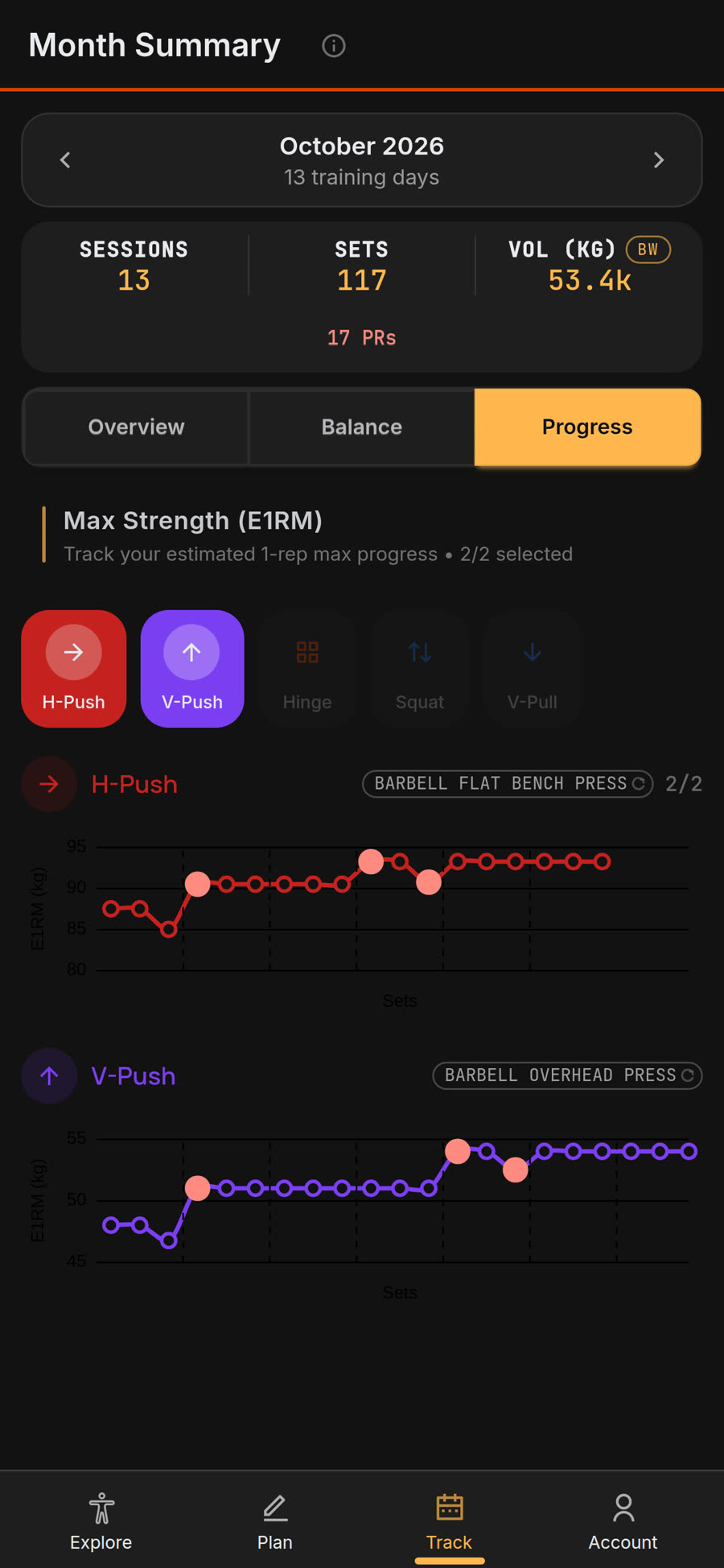
Over weeks, Month Summary, then Progress, graphs estimated one-rep max (E1RM) per movement. That graph shows whether the AI plan is working.